Worked on CMYK full-spectrum palette generation stuff over the Labor Day weekend. Some screencaps from various points in the process:


It's getting there!

Worked on CMYK full-spectrum palette generation stuff over the Labor Day weekend. Some screencaps from various points in the process:
It's getting there!

Over a year ago I finished a "Hex Translator" project I was working on for a while. I didn't want to post it here until I'd gotten prints to all the contributors. And the last one took me a while, but now that's done and I can share it here! The final print is 30 inches wide and 20 inches tall.
Here's a copy-paste of the "overview" text from the piece:
Ha3Mogom Macrostructure (HTb20210227A)
The Hex Translator is a deterministic algorithm that transforms character strings into patterns of hexagons with various qualities. The version used here, Hex Translator build 20210227A, can output patterns with three types of hexagons (solid, hollow, broken), six icons, and 1,216 colors. Colors are generated from, and cycle through, a 16-color palette.
The large, multicolored object at right is a macrostructure composed of eight different string patterns produced by the Hex Translator. Its label (Ha3Mogom) comes from shorthand for each string's source (Hill, Austin, 3, MIT, Older, Get, Own, Meteorology). In total, the macrostructure represents 4,935 characters.
Low-ish res raster render (~150 dpi):

And here's a photo of one of the framed prints:

Ever wanted to play Wordle by yourself, offline, using a pen and paper? Do you love looking up numbers in tables and indexes? Then have I got the just the thing for you!
This is a four-page monochrome document formatted for standard US letter paper. Instructions are on the first page and six puzzles follow. I noticed there are Wordle puzzle books for sale, but every one of them I looked into "cheated" in some way: Some presented mostly-complete puzzles that have the player fill in the last guess only, some require a second human player to act as the computer (telling the first player which letters in their guess match, etc.). So I made an offline, solitaire version that tries to be faithful to the original experience and prevents players from accidentally spoiling solutions.

It works, but I think it's a little unwieldy because each time the player writes a guess they have to look up letter/position references in a table, then look up those references in the index. This process seemed like it would be fun (to me), but it's a little tedious in practice. Or maybe it contrasts too sharply with the instant gratification of the online version.
There are ways this could be optimized. Most players probably wouldn't remember the symbols (answers) associated with specific three-digit reference numbers if there was enough time between them, so I think you could reuse something like 30% of the reference numbers and shrink the size of the index.
If I were doing this as a book, another possible approach for the index might be to have tabbed sections for each position and a page for each alphabet letter at that position. Then each puzzle could have a unique non-sequential code and that's all a player would need to remember as they worked the puzzle. Of course, there would be more page-flipping. But it would be easier for folks with poor short-term memory and would probably decrease the player's chances of making errors.
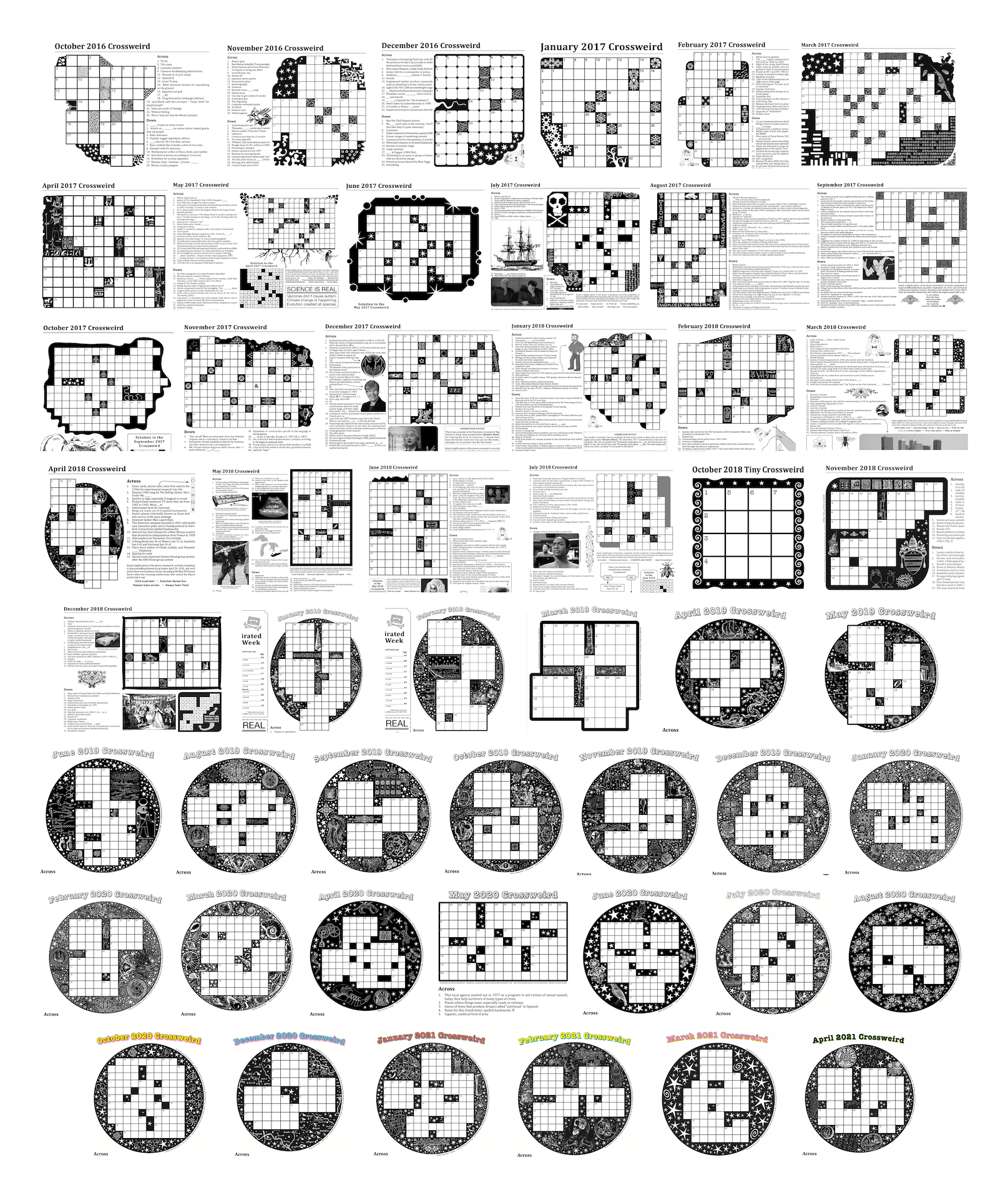
I recently made my last crossword ("crossweird") for Tumbleweird. Coincidentally, it turned out to be my 50th published crossword. Here are all 50 together in chronological order:
This is meant to be an overview of how I make crosswords. My approach is a little unorthodox (overly verbose clues, non-rectangular/asymmetrical puzzle shapes, an obsession with Roman numerals, etc.), so it's not a how-to. Doing a lot of crosswords by mainstream crosswordists (is that a thing? syndicated puzzlemakers) would probably prepare a person better than hearing my process. But I'm going to explain it anyway.
I start in Excel, but any spreadsheet software should work. Google Sheets works fine. Sorting out snarls and making words fit together with as much overlap as possible is way easier with word/pattern search engines. OneLook is the best for this, no question. A2zWordFinder can be useful too; has some foreign language options. People by Initials is good for 2- and 3-letter strings. Wikipedia and Wiktionary go without saying. Once the puzzle is done, Inkscape to pretty it up. But Inkscape doesn't play nice with CMYK (at least, in my experience; even if the color tools in Inkscape say something is K-100 black I always seem to end up with rich black when I view the ink separations independently). So I take that output and use Scribus to make the colors behave themselves. Import the puzzle to InDesign, type up the clues, add extras like title, byline, etc. Done!
It helps to pre-format the spreadsheet by setting every cell to the intended font and sizing the rows and columns to make each cell square.
I usually try to begin with one or two "anchor" words meant to run the width and/or length of the puzzle. Here's an example:


